---
cover: https://files.yestoki.com/cdn-cgi/image/f=auto/dash-uploads/7a79e08a2931b11f43904868b38e7fb6f218ef0d.png
title: Schedule with Screenshots
description: Use the iOS Shortcut to let Toki turn your screenshots into calendar events.
---

## Step 1

Tap the button below, add <strong>Screenshot to Toki</strong> to Shortcuts.

<a class="primary button" href="workflow://shortcuts/c415b4940e254b0abda1ce6679fb3ba7">Add Shortcut</a>

## Step 2

<details>
<summary><img src="https://files.yestoki.com/cdn-cgi/image/f=auto/dash-uploads/5fec9a7affdf88b5cf4014ff468757066b65aeb2.png" width="20" height="20" alt="">Use AssistiveTouch</summary>

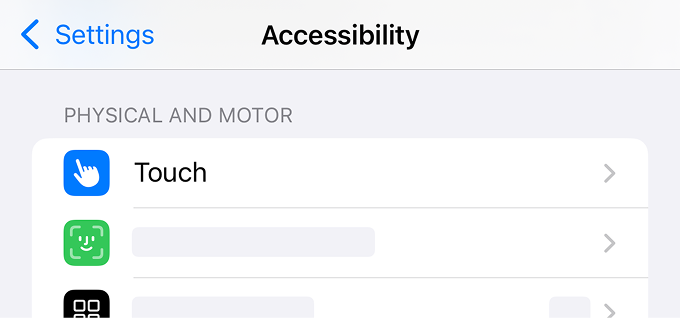
1. Go to <strong>Settings > Accessibility > Touch</strong>.

<img src="https://files.yestoki.com/cdn-cgi/image/f=auto/dash-uploads/770c7717c5ecf9b9c9721ef25b6ad5fea16df1f9.png" width="340" height="159" alt="" />

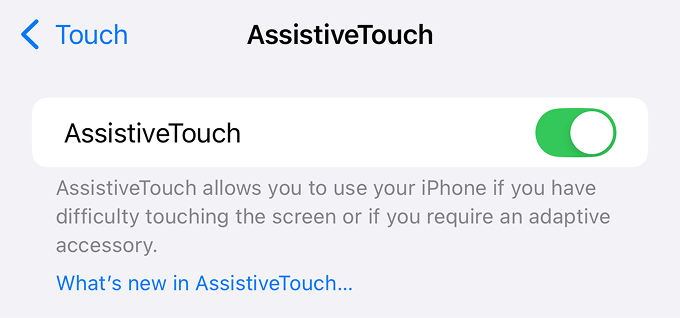
2. Go to <strong>AssistiveTouch</strong> and turn it on.

<img src="https://files.yestoki.com/cdn-cgi/image/f=auto/dash-uploads/7bd6ed56ee2815611057297243c5579aaf9411d5.png" width="340" height="159" alt="" />

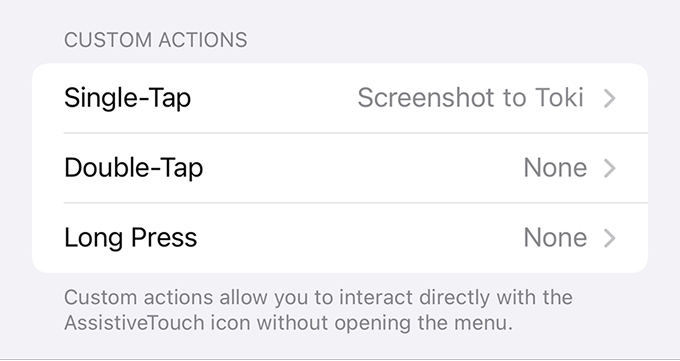
3. Select <strong>Screenshot to Toki</strong> for Single-Tap / Double-Tap / Long Press.
<img src="https://files.yestoki.com/cdn-cgi/image/f=auto/dash-uploads/f10beeef4c019bf9f071ef5d9dd04b12ac20aa08.png" width="340" height="180" alt="" />

</details>

<details>
<summary><img src="https://files.yestoki.com/cdn-cgi/image/f=auto/dash-uploads/5fec9a7affdf88b5cf4014ff468757066b65aeb2.png" width="20" height="20" alt="">Use Back Tap</summary>

1. Go to <strong>Settings > Accessibility > Touch</strong>.

<img src="https://files.yestoki.com/cdn-cgi/image/f=auto/dash-uploads/770c7717c5ecf9b9c9721ef25b6ad5fea16df1f9.png" width="340" height="159" alt="" />

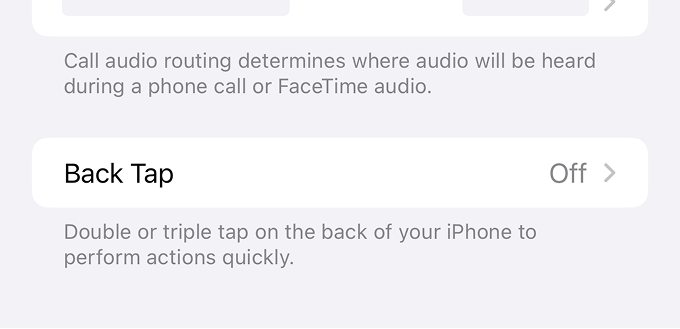
2. Go to <strong>Back Tap</strong>.

<img src="https://files.yestoki.com/cdn-cgi/image/f=auto/dash-uploads/35ee573dd02ca84e4f525bf34d23c5a30cd8105a.png" width="340" height="165" alt="" />

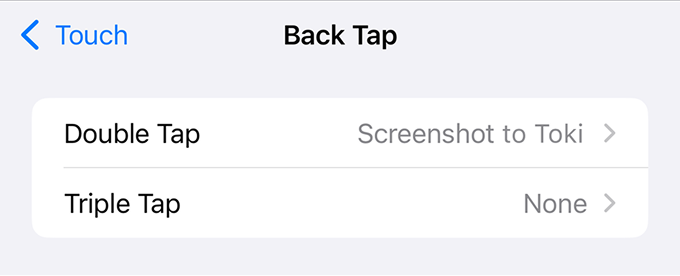
3. Select <strong>Screenshot to Toki</strong> for Double Tap / Triple Tap.

<img src="https://files.yestoki.com/cdn-cgi/image/f=auto/dash-uploads/d68487406eaa01880352594926cfe5ed667598dd.png" width="340" height="138" alt="" />

</details>

---

[View the HTML version](https://toki.com/updates/schedule-with-screenshots)
[Visit the Toki website](https://toki.com/)
[View llms.txt](https://toki.com/llms.txt)